
Updated: September 13, 2026
Why multi-camera coverage is essential for a Miami corporate conference
A conference occurs in real time, with no opportunities for retakes. When a keynote speech resonates, a panel discussion heats up, or an award is presented, the moment is fleeting. This single fact is why serious corporate event video production in Miami relies on multi-camera setups. Multi-camera coverage transforms a flat recording of a stage into a video that retains viewer interest after the event. This approach is a clear indicator that the production team comprehends the nuances of live events.
This guide explains what multi-camera conference coverage entails, why it yields a better outcome than a single fixed camera, and how a Miami crew plans it around a real event schedule.
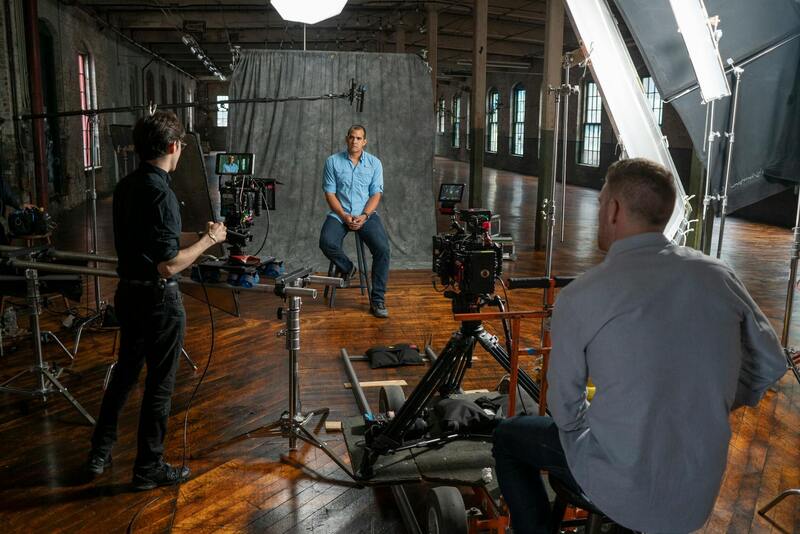
What multi-camera event coverage actually entails
Multi-camera coverage means positioning several cameras to capture an event from different angles at the same time, then combining them into one polished video. A typical corporate conference setup uses a wide camera that holds the full stage as a safety shot, a tighter camera on the speaker's face and gestures, and a roaming camera for audience reactions, detail shots, and movement. Larger events add cameras for the screens, the panel, or a second stage.
Those angles can be cut live through a switcher during the event, or recorded separately and edited afterward. In either case, the value lies in the editor's choices. A single camera provides only one unchanging view. If a speaker walks out of frame or a slide needs to be shown, there is no alternative to cut to. Multiple synchronized angles, however, keep the final video engaging and allow the story to remain clear.
Why one camera is rarely enough
A locked-off single camera has significant limitations at live events. It cannot simultaneously show a wide room and a speaker's facial expression. Additionally, it lacks the ability to cut away to hide any mishaps, such as a stumble, a long pause, or a technical issue on stage. Consequently, the finished video often has a static, security-footage feel, which can diminish the production value of an expensive event. Cutting between different camera angles is essential for keeping viewers engaged in a talk they are watching from outside the room.
The technical expertise behind creating clean multi-camera video
Good multi-camera work involves more than just pointing several cameras at a stage. The angles need to match in terms of exposure and color, ensuring that the cuts are seamless and invisible. This requires that the cameras be balanced to each other before the event begins.
- A safety shot that fully covers the entire stage.
- A close-up camera for capturing faces, gestures, and emotions.
- A roaming camera to capture audience reactions and detailed shots.
- A clean audio feed taken directly from the venue's sound board.
- Matched color and exposure across all cameras
- Synchronized recording ensures that the angles line up properly in the edit.
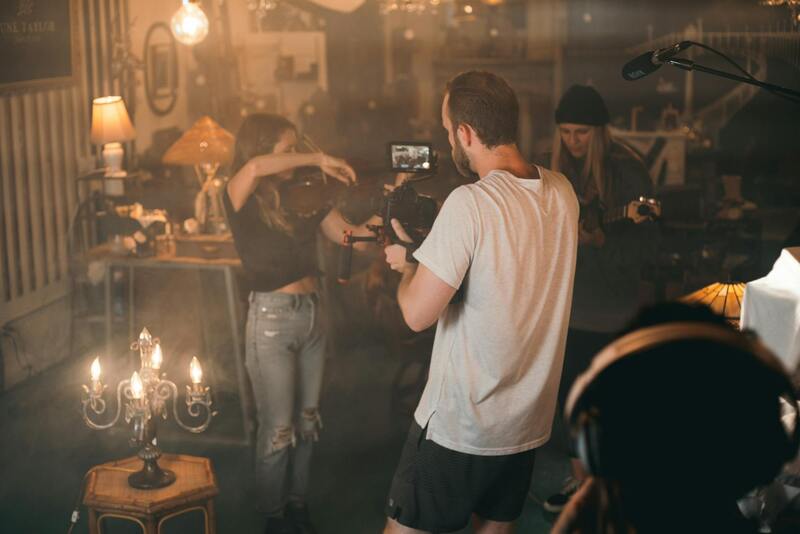
Planning multi-camera coverage for an event in Miami.
The most challenging aspect of event video is the lack of rehearsal and reset opportunities. A crew earns its fee through thorough preparation. This begins with the run of show, a minute-by-minute agenda that informs the team about when the keynote begins, when the panel takes the stage, and when the awards happen. This ensures that cameras are in position before each significant moment, rather than scrambling to adjust afterwards.
Miami venues add their own unique challenges. Hotel ballrooms in Brickell and on the beach vary greatly in terms of lighting and ceiling height. Outdoor and rooftop events are affected by changing daylight and wind conditions, which can impact the microphones. Load-in times can be tight due to other bookings. A crew that has worked these rooms will plan camera positions and cabling to fit the space, rather than fighting against it. Bilingual events are also common in Miami, and coverage needs to capture both languages cleanly.
Questions to ask before booking multi-camera coverage:
Not every crew that owns several cameras actually runs a true multi-camera operation. A few strategic questions during the planning phase can reveal whether a team is truly equipped to deliver clean, cuttable footage or is merely deploying extra bodies on the stage.
- How will you get audio? The right answer involves a feed from the venue sound board, not a microphone on a camera at the back of the room.
- How do you keep the cameras matched? A prepared crew balances color and exposure across cameras before the doors open so cuts are seamless.
- How are the angles synced? Timecode or a clear sync reference keeps the edit from drifting across a long program.
- Have you worked this venue or one like it? Room familiarity shapes where cameras can stand and how the lighting will read.
- What is the plan if the schedule slips? Live events run late, and a crew should already have a fallback for a keynote that starts twenty minutes behind.
The answers quickly indicate whether the coverage was planned or improvised. This distinction is the whole game at live events, where there is no opportunity to reshoot a missed moment.
Working with a Miami-based crew specialized in live events.
Multi-camera coverage is where event experience shows, because it cannot be fixed in the edit if the angles were not captured in the first place. At Miami Event Video Pro we specialize in corporate and conference video, and multi-camera coverage is at the center of what we do. We balance our cameras to each other, pull clean audio from the house system, and plan every position from your run of show so the keynote, the panel, and the moments in between are all covered from angles worth cutting between.
Multi-camera coverage is the raw material for almost everything else an event video becomes. Once the angles are captured, they feed a conference highlight reel and a longer corporate event recap video, and they make individual pieces like keynote speaker recordings and panel discussion coverage far stronger. You can see how it all fits into a full program in our guide to complete conference video coverage.
To plan coverage for a conference or corporate event, read more event guides on our blog or get in touch through our contact page. At a live event you get one chance, and the number of cameras pointed at the stage is a big part of whether you capture it.