
Updated: October 19, 2026
Why is video coverage for breakout sessions different from filming the main stage?
When people search for breakout session video coverage in Miami, they generally envision the same setup they observed on the general session stage: a wide-angle camera, a high-quality zoom on the speaker, and clear audio from the podium. However, breakout rooms typically do not operate in this manner. They are generally smaller, run concurrently, and several of them may start and end simultaneously. Consequently, a single crew that excelled at the keynote can easily miss coverage of three concurrent sessions within the same hour if no proper planning was done.
That planning gap is where most conference video projects lose value. Breakout sessions are often the primary reason attendees travel to the event. Product roadmap talks, customer panels, hands-on workshops, and analyst briefings - these are the sessions that get quoted internally and reused for months. Filming these sessions effectively requires a different approach than simply pointing one camera at a big stage.
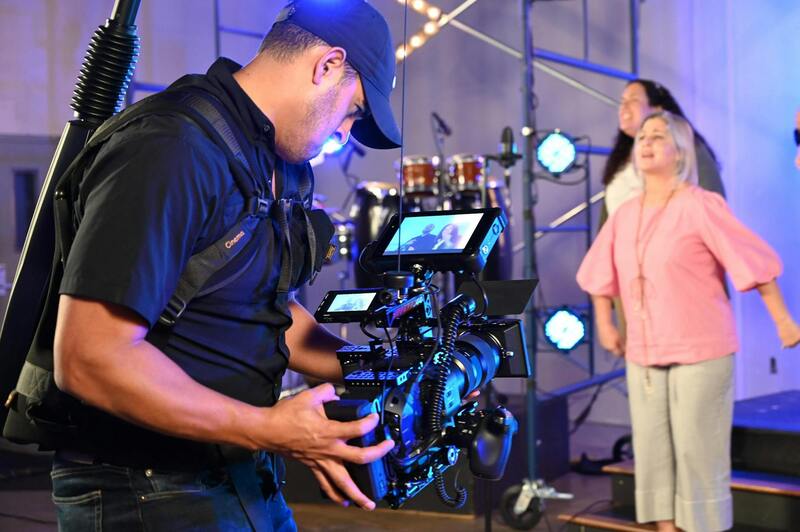
How multi-track scheduling drives the entire plan.
The first question is not about cameras. Instead, it focuses on the agenda grid. A two-track morning with 45-minute sessions and 15-minute turnarounds is a completely different task than a five-track afternoon where rooms flip every 30 minutes. Once you map the grid, the crew count, the number of camera kits, and the file-handoff plan naturally follow.
Here is the approximate math that clients often inquire about when comparing quotes. This helps explain why prices can vary so much.
- One operator can reliably cover one room at a time. Concurrent tracks require either more operators or a combination of operated and locked-off cameras.
- A locked-off wide camera combined with good audio can capture a session unattended. This allows a small crew to cover more rooms without missing any content.
- The turnaround time between sessions determines whether a camera operator can walk from room A to room B, or if dedicated kits are needed in each space.
- Recording the room audio from the AV mixer, rather than the on-camera microphone, is what distinguishes a usable session file from a muddy one.
People often ask this in various ways when they call: How many cameras do I need for simultaneous breakout sessions? Can one videographer cover two rooms? Do you provide unattended session recording? How do you sync audio for panel rooms? The answer always comes back to the grid.
Audio is the part that quietly undermines the quality of breakout footage.
The main stages feature a sound engineer and a mixing console. Breakout rooms may have a single lavalier microphone and a small powered speaker, or they might have no equipment at all. If a room has house audiovisual equipment, we take a line feed or a board feed. If it does not, we bring our own lavalier microphone and a recorder to ensure the presenter is clear regardless of the room's equipment. In a hotel with ten meeting rooms, wireless microphones will compete for frequencies. Therefore, coordinating channels ahead of time is essential.
Slides, screen captures, and the picture-in-picture feature
Breakout content is often composed of 60% slides. A recap that only shows a person talking fails to convey the actual information. To effectively capture this content, we directly record the presenter's screen feed when the room supports it. We then composite the speaker and the slides to ensure both remain readable.
The compositing decision is more critical than people realize. For a data-intensive analyst presentation, a full-screen slide with a small speaker inset works well. In contrast, a fireside chat with minimal slides is more effective as a clean two-shot. During the planning phase, each session is tagged by type, so the edit template is set before the footage is even recorded. It is one more reason the agenda grid ends up driving the whole job.
Room preparation and the small details that appear on camera.
Breakout rooms are working spaces, not stages, so the frame usually includes whatever the venue left behind. Stacked chairs in the corner, a half-peeled floor decal, a bright exit sign directly behind the speaker's head. A five-minute walkthrough before the first session, with someone empowered to move a plant or reposition a banner, keeps the whole day's footage consistent. It costs nothing and saves the editor from fighting a distracting background across 30 clips. We also confirm where the presenter will actually stand, because a lav mic aimed at a podium is useless when the speaker roams the room with a clicker.
Here is what a good breakout coverage plan looks like on the day.
A practical plan for a busy, multi-track day typically resembles a shift schedule. Each operator is assigned a room for each time block. Unattended cameras are assigned a start and stop owner, and every file is saved to a labeled card or drive with the session name already attached. Labeling files at the time of capture saves hours during the editing process, as nobody wants to guess which of 40 clips was the 2 pm customer panel.
| Coverage style | Best for | Crew load |
|---|---|---|
| Single operated camera per room | Panels, fireside chats, Q and A | One op per active room |
| Locked-off wide plus board audio | Lecture-style talks with slides | Shared op sets up, checks periodically |
| Two cameras plus screen capture | Workshops, live demos, training | One or two ops per room |
None of this is exotic. It is just planning that has to happen before load-in, not during the first coffee break. For a wider view of how the sessions fit alongside the keynote and the hallway moments, our piece on what complete conference video coverage in Miami really looks like walks through the full program.
Converting breakout footage into content that people actually use.
Raw session recordings serve as an archive rather than a deliverable. The true value emerges when the footage is transformed into something specific.
- On-demand full-session videos for an attendee portal or internal learning library.
- Short clips from each session are extracted for social media and follow-up emails. Each clip features one strong idea.
- A blended highlight cut that combines the best breakout sessions with performances from the main stage.
Teams often ask us to prioritize the sessions that map to sales conversations or product education, since those get watched long after the event ends. If you want the sessions edited into a fast recap rather than long-form videos, the approach in our corporate event recap video guide covers pacing, music, and length. And when the main-room talk is the anchor, the same care we describe for keynote speaker video recording applies to a headline breakout too.
One practical tip for managing deliverables is to decide on naming and grouping conventions before the event, rather than after. If sessions will be housed in an attendee portal, they typically need consistent titles, speaker names, and a thumbnail image for each talk. For internal enablement sessions, detailed chapter markers and searchable transcripts are more critical than polished production values. Addressing these organizational details upfront ensures that clients receive clear answers regarding services like captioning sessions or delivering transcripts, rather than encountering unexpected additional costs later.
Common mistakes that render breakout footage unusable
A few recurring issues account for most of the sessions that never result in a final video. Identifying these problems in advance is the cheapest fix available.
- There is no audio plan for rooms without house AV systems, so the presenter's voice sounds faint and echoey.
- One crew was spread too thin across multiple concurrent rooms. As a result, half the tracks were sampled for just a few minutes before being abandoned.
- The slides were captured from the projection screen rather than from the source feed, resulting in blurry and washed-out images.
- Files are dumped to cards with default camera names, turning the editing process into a guessing game.
A Miami crew is working on plans for parallel rooms.
We film corporate and conference events across Miami, from hotel meeting floors in Brickell and Downtown to the convention center and resort ballrooms on Miami Beach. For breakout-heavy programs we start with your agenda grid, confirm which rooms have house AV and which need our own audio, and staff the day so concurrent sessions are actually covered rather than sampled. The output can be full session recordings, edited clips, or a combined event film, depending on what your marketing and enablement teams need.
If you are pricing a multi-track conference and want a straight answer on crew count and deliverables, send us the draft agenda and room list. You can reach the team through the contact page, see recent event work and other guides on the blog, or read more about how we work on the about page. Tell us how many tracks run at once and how tight the turnarounds are, and we will map a coverage plan to it before you commit to anything.